
Every creator agency owner knows that paperwork scales faster than revenue. When you manage one or two models, a quick check and sign process feels manageable. By the time you reach fifteen models, each with monthly payouts, quarterly tax forms, and ongoing compliance updates, you're drowning in documents that need review and approval. The agencies that scale smoothly treat document workflows as seriously as they treat talent management.
The Hidden Bottleneck in Agency Growth
Most OFM agencies hit their first growth ceiling around twelve to fifteen models. The constraint isn't usually talent acquisition or chatter team capacity. It's operational infrastructure. Every new model brings contracts, tax documents, payout authorizations, and compliance records that require your signature or approval.
When document workflows remain manual, founders spend twenty to thirty hours monthly just reviewing and signing paperwork. That time could go toward recruitment, team training, or strategic planning. The check and sign bottleneck becomes the limiting factor in how many models you can responsibly manage.

What Actually Needs Your Signature
Before optimizing your workflow, audit what genuinely requires founder approval versus what staff can handle. In most jurisdictions, check signature rules require specific authorization for financial instruments, but operational documents often allow delegated signing authority.
Founder-level signatures typically required:
- Management contracts with new models
- Bank account changes and major financial commitments
- Tax documentation (W-9s, 1099s, international equivalents)
- Compliance certifications for regulatory bodies
Can often be delegated:
- Content plan approvals
- Minor contract amendments
- Routine payout authorizations under threshold amounts
- Non-binding internal agreements
The distinction matters because many agencies bottleneck themselves by requiring founder sign-off on low-risk documents that trusted managers could approve. Clear delegation policies let you focus signature authority where it actually protects the business.
Building a Scalable Review Process
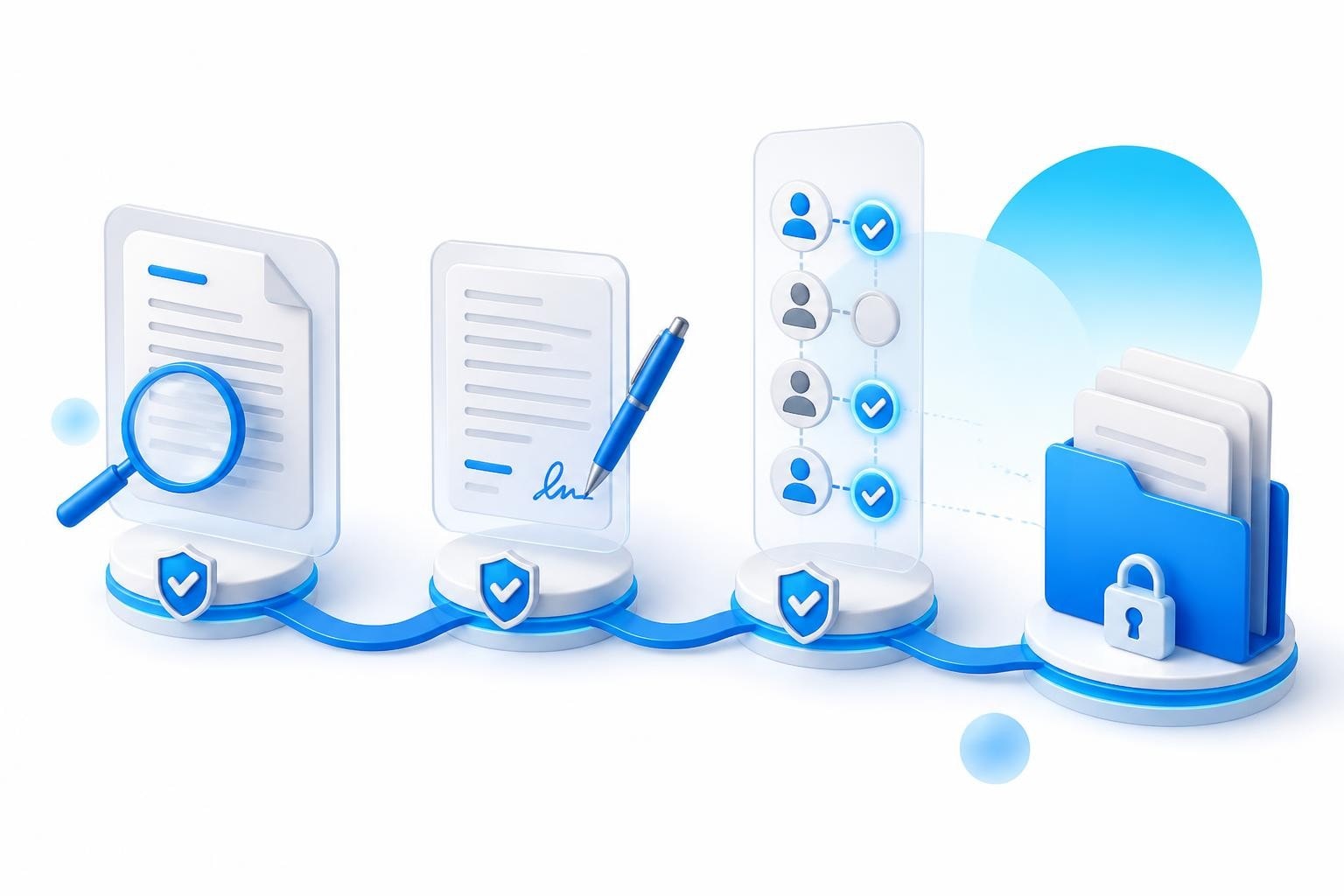
The traditional check and sign workflow looks linear: someone creates a document, routes it to you, you review it, you sign it, and it gets filed. This works until document volume exceeds your available review time. Then documents sit in queues, models wait for onboarding completion, and payouts get delayed.
Batch Processing Documents by Type
Group similar documents and process them in dedicated time blocks. Monday morning might be contract reviews, Wednesday afternoon for payout approvals, Friday for compliance documents. Effective review and sign-off workflows separate review stages from approval stages, allowing preliminary vetting before items reach your desk.
Your operations manager should pre-screen documents for completeness. Missing fields, unclear terms, or formatting errors get caught before you ever see the document. When you sit down to review, every document is already vetted for basic requirements.
Batch processing reduces context-switching costs. Reviewing ten contracts in sequence takes less time than reviewing those same ten contracts scattered across a week, each requiring you to reload the context of contract terms and acceptable variations.
| Document Type | Review Frequency | Typical Batch Size | Decision Criteria |
|---|---|---|---|
| Onboarding Contracts | Weekly | 3-8 documents | Terms match template, earnings split clear |
| Payout Approvals | Bi-weekly | 15-30 documents | Amounts match P&L, models active |
| Compliance Forms | Monthly | 5-15 documents | Required fields complete, signatures valid |
| Tax Documents | Quarterly | 10-40 documents | Information accurate, deadlines met |
Technology Stack for Document Management
Spreadsheets and email threads collapse under the weight of fifty or sixty models. You need purpose-built systems that track documents through their lifecycle from creation to executed signature to secure storage. When evaluating OnlyFans agency tools, document management capabilities should rank alongside CRM and profit tracking.
The check and sign process works best when integrated into your operational system rather than bolted on through separate software. Context matters. When reviewing a payout authorization, you want immediate visibility into that model's recent earnings, contract terms, and outstanding compliance items. Switching between systems to gather context adds friction that compounds across dozens of weekly approvals.
Core Requirements for Agency Document Systems
Modern contract signing workflows emphasize version control, audit trails, and automated routing. Your system should track who created each document, when it entered review, who approved or rejected it, and where the executed version is stored.
Essential features include:
- Template management that ensures every contract starts from your current approved version
- Automated routing that sends documents to the right approver based on type and amount
- Mobile accessibility because you'll often need to approve urgent items outside office hours
- Secure storage with role-based access controlling who sees sensitive financial or personal information
- Integration with your financial systems so payout approvals connect directly to your payment processing
Many agencies cobble together DocuSign for signatures, Google Drive for storage, and Slack for notifications. This creates gaps where documents fall through. A unified platform designed for creator agencies consolidates these functions into a single interface.
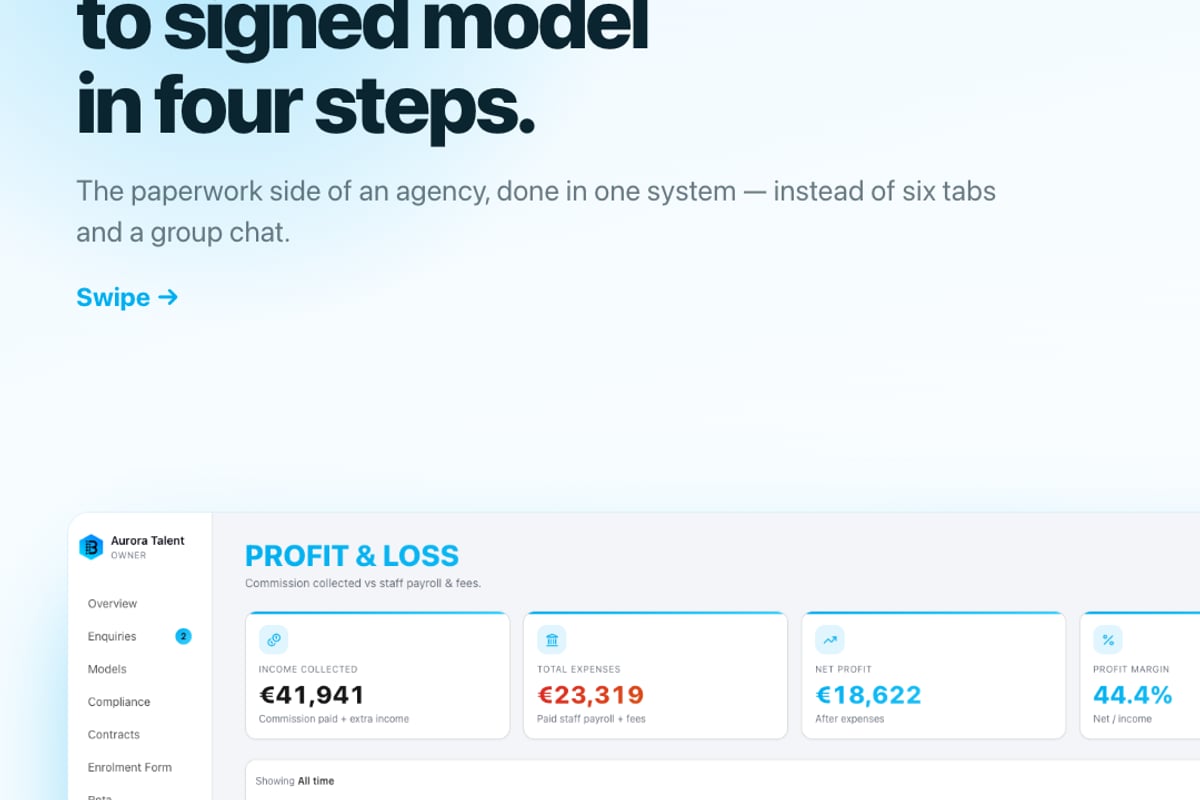
BIGROS serves as the operating system for OFM agencies, centralizing everything from model onboarding through compliance tracking and payout processing. When you need to check and sign a contract, the system surfaces the model's complete context alongside the document itself. You're not just approving paperwork in isolation; you're making informed decisions with full operational visibility.

Financial Controls and Check Signing Authority
Payment documents demand higher scrutiny than operational paperwork. A misplaced signature on a contract costs time and potential legal exposure. A misplaced signature on a check or wire transfer costs actual money. Best practices for signing AP checks emphasize segregation of duties and dollar thresholds for authorization levels.
Establishing Signing Thresholds
Set clear dollar limits for who can approve what payments. Many agencies structure authority like this:
- $0 to $500: Operations manager approval sufficient
- $500 to $2,500: Requires senior manager or finance lead
- $2,500 and above: Founder signature mandatory
These thresholds should align with your typical payout ranges. If most model payouts fall between $1,000 and $3,000, you need founder involvement in routine payments. If you can structure contracts and payment schedules to keep most payouts under your delegation threshold, you free up significant time.
Dual signatures add security for high-value transactions. Any payment above $10,000 requires two authorized signers to prevent fraud or errors. This matters less when you're small but becomes critical as monthly payment volume reaches six figures.
Digital vs. Physical Signatures
The check and sign process increasingly happens electronically. eSignature reviews within platforms like Microsoft 365 offer convenience but require careful implementation to maintain legal validity and security.
Digital signatures aren't just convenience; they create better audit trails. Every signature captures timestamp, IP address, and authentication method. When compliance questions arise, you can prove exactly when and how a document was executed. Physical signatures on paper documents offer none of that verification capability.
However, certain financial institutions and regulatory bodies still require physical signatures or specific electronic signature standards. Before going fully digital, verify that your banking partners, payment processors, and relevant compliance authorities accept the electronic signature method you plan to use. Document verification protocols matter more in regulated industries like adult content management where proof of age and consent documentation undergoes regular scrutiny.
Compliance Documentation at Scale
Creator agencies face unique compliance requirements around age verification, content rights, and tax reporting. Unlike SaaS companies or e-commerce businesses, you're managing compliance for each individual model, not just your corporate entity. OnlyFans agency compliance software needs to track document expiration dates, renewal requirements, and jurisdiction-specific rules.
A comprehensive compliance checklist ensures nothing falls through the cracks. Every model requires:
- Government-issued ID verification (renewed when documents expire)
- Signed management contract with clear terms
- Tax documentation appropriate to their jurisdiction
- Content rights and usage agreements
- Age verification records meeting platform standards
- Banking and payout information
When you onboard five models monthly, manual tracking works. At twenty-five new models monthly, you need automated systems that flag upcoming expirations and route renewal documents through your check and sign workflow before compliance lapses create platform access issues.
Renewal and Expiration Tracking
Documents don't just require initial signatures. They expire. Passports and IDs have expiration dates. Contracts include renewal terms. Tax forms need annual updates. Managing documents through their signing lifecycle means tracking these dates and triggering renewal workflows automatically.
Your system should alert you ninety days before a model's ID expires, sixty days before contract renewal is due, and thirty days before tax documentation needs updating. These alerts should route the appropriate document templates to the model for completion, then to your team for review, and finally to you for signature. The entire process executes without manual tracking.
| Document Type | Typical Validity | Renewal Lead Time | Consequences of Lapse |
|---|---|---|---|
| Government ID | 5-10 years | 90 days | Platform access suspended |
| Management Contract | 12-24 months | 60 days | Commission terms unclear |
| Tax Forms (W-9/equivalent) | Annual | 30 days | Backup withholding triggered |
| Banking Information | Until changed | 14 days notice | Payout delays |
Delegation Without Losing Control
Founders who insist on personally reviewing every document become the bottleneck. Founders who delegate without proper controls create risk exposure. The balance lies in structured delegation with appropriate oversight.
Training Managers to Pre-Screen Documents
Your operations team should catch ninety percent of document issues before items reach your review queue. Train them on what constitutes a complete, acceptable document. Create scoring rubrics or checklists they use before forwarding anything for signature.
Pre-screening checklist might include:
- All required fields completed without blanks
- Terms match current approved contract template
- Amounts align with agreed commission structure
- Supporting documentation attached (ID copies, banking info)
- No unusual or non-standard clauses requiring legal review
When your manager forwards a document for signature, it should include a brief note confirming the pre-screen checklist is complete. This transforms your review from detailed examination to verification that pre-screening was done properly. You spot-check details but don't need to scrutinize every field.
Audit Trails and Spot Checks
Even with delegation, maintain oversight through regular audits. Monthly, pull a random sample of documents your managers approved and review them in detail. This serves two purposes: it catches any systematic errors in their review process, and it keeps the team aware that their work undergoes periodic scrutiny.
The check and sign process should always generate searchable records. Who created the document? Who reviewed it? Who approved it? When was it executed? Where is the signed copy stored? If you can't answer these questions for any document in your system, your controls are insufficient for scaling beyond twenty models.

Common Pitfalls in Document Workflows
Agencies fail at document management in predictable ways. Understanding these patterns helps you avoid them as you scale.
Pitfall one: No standardized templates. Every contract gets negotiated from scratch, creating review bottlenecks and inconsistent terms. Fix this by developing template contracts for common scenarios and only allowing deviations with explicit approval.
Pitfall two: Unclear version control. You sign a contract, the model requests changes, someone creates a modified version, but you can't tell which version was actually executed. Implement strict version numbering and archive previous versions when new ones are created.
Pitfall three: Scattered storage. Signed contracts live in email, Google Drive, Dropbox, and someone's local hard drive. When you need to reference a term or prove a model agreed to specific conditions, you can't find the document. Centralize storage in a single system with consistent naming conventions.
Pitfall four: No emergency procedures. What happens when you're unavailable and an urgent document needs signature? Practices for signing checks emphasize backup authorization procedures. Define who can sign in your absence and under what circumstances.
Pitfall five: Ignoring mobile workflows. Agency operations happen outside office hours. Models message at night, chatters work overnight shifts, and time zones span the globe. If your check and sign process requires you to be at a desktop computer, you'll create delays. Mobile-accessible approval workflows keep operations moving.
Integrating Signatures with Operational Systems
Documents don't exist in isolation. When you sign an onboarding contract, that should trigger model profile creation, content calendar assignment, chatter team notification, and compliance checklist initiation. When you approve a payout, that should update financial records, trigger payment processing, and adjust profit and loss calculations.
Disconnected systems require manual data entry between signature and operational execution. Someone signs a contract, then someone else creates the model profile in your CRM, then another person updates the financial tracking spreadsheet. Each handoff introduces delay and error risk.
The most efficient agencies use integrated management software where document signature events trigger automatic downstream actions. This isn't just convenience; it's consistency. When onboarding processes execute automatically based on signed contracts, every model gets the same treatment. Nothing gets forgotten because it's all systematized.
Building Standard Operating Procedures
Document every step in your check and sign workflows. What happens when a new model submits initial paperwork? Who reviews it first? What criteria do they check? When does it route to you? After signature, what happens next?
These standard operating procedures (SOPs) serve multiple purposes:
- New staff can be trained quickly using documented processes
- You can identify inefficiencies when processes are written down
- Compliance audits become straightforward when procedures are documented
- Scaling requires repeatable processes that don't rely on institutional knowledge
Your SOPs should specify timing expectations. New model contracts get reviewed within forty-eight hours of submission. Payout approvals happen within twenty-four hours of the bi-weekly cutoff. Compliance renewals begin ninety days before expiration. Without timing standards, documents languish in queues and operations slow down.
Technology Implementation Timeline
Moving from scattered document workflows to integrated systems doesn't happen overnight. Plan a phased implementation that minimizes disruption while steadily improving efficiency.
Phase 1 (Weeks 1-2): Audit and Planning
- Document current state of all document workflows
- Identify highest-pain bottlenecks
- Research and select appropriate software solutions
- Define requirements and success criteria
Phase 2 (Weeks 3-4): Template Development
- Standardize contract templates
- Create review checklists
- Develop naming conventions for document storage
- Draft SOPs for common document types
Phase 3 (Weeks 5-8): System Configuration
- Set up chosen software platform
- Configure document routing rules
- Establish user access controls
- Migrate critical templates and active documents
Phase 4 (Weeks 9-12): Team Training and Rollout
- Train staff on new procedures
- Run parallel processes (old and new) to catch issues
- Monitor for gaps or confusion
- Refine workflows based on real-world usage
Phase 5 (Ongoing): Optimization
- Collect metrics on review times and bottlenecks
- Quarterly review of procedures and templates
- Continuous improvement based on team feedback
Rushing implementation creates chaos. Taking too long means continuing to struggle with broken processes. Three months from decision to full implementation represents a realistic timeline for agencies managing twenty to forty models.
Frequently Asked Questions
How do I know when manual document processes need upgrading?
When you spend more than five hours weekly just reviewing and signing documents, or when document delays prevent you from onboarding new models within a week of their commitment, your processes can't support your current scale. Most agencies hit this point between twelve and eighteen models.
Can operations managers legally sign contracts on behalf of the agency?
This depends on your corporate structure and delegation policies. In most cases, you can grant signing authority to employees or contractors through explicit written authorization. Consult with your attorney to ensure proper delegation documentation. However, certain documents like bank signature cards may require founder or officer signatures regardless of delegation policies.
What's the minimum technology stack for professional document management?
At minimum, you need electronic signature capability, version-controlled cloud storage, and a system for tracking which documents are pending versus executed. Purpose-built agency software consolidates these functions, but you can start with tools like DocuSign plus organized Google Drive if budget is tight. Just plan to migrate to integrated solutions as you scale.
Building Resilient Review Processes
The check and sign workflows you design today will determine your capacity to scale tomorrow. Agencies that treat document management as an afterthought find themselves trapped by administrative burden. Those that build systematic processes gain the operational leverage to manage fifty or one hundred models with the same founder time investment that other agencies need for fifteen models.
Every signature you apply should leave a clear audit trail, execute from an approved template, and trigger appropriate downstream actions in your operational systems. When these pieces work together, document workflows accelerate your growth rather than constraining it. The key is treating paperwork with the same strategic importance as talent management or financial planning.
Your competitive advantage comes from operational excellence as much as it comes from recruitment skills or chatter team quality. While competitors drown in spreadsheets and email threads, well-systematized agencies scale smoothly because their infrastructure supports growth rather than fights it.
Streamlining your check and sign processes is essential for scaling any creator agency beyond a small roster. By implementing structured workflows, proper technology, and clear delegation policies, you transform document management from a bottleneck into an operational strength. BIGROS consolidates contracts, compliance tracking, and payment approvals into a single operating system designed specifically for OFM agencies, giving you the infrastructure to manage dozens of models without drowning in paperwork.