

Managing contracts, compliance documents, and payment agreements at scale requires a robust approach to digital documentation. A signed PDF file serves as the legal foundation for your agency relationships, from model onboarding agreements to payment authorization forms. When you're operating a creator agency managing fifteen, twenty, or fifty models, the integrity and verifiability of these documents directly impacts your legal protection and operational efficiency.
Why Digital Signatures Matter for Creator Agencies
Running an OFM agency means handling sensitive documents every single day. Model contracts, compliance forms, revenue share agreements, and identity verification documents all require secure, legally binding signatures. The traditional approach of printing, signing, scanning, and filing creates bottlenecks that slow down your onboarding process and introduce compliance risks.
Digital signatures provide three critical benefits:
- Legal validity equivalent to wet signatures in most jurisdictions
- Tamper detection that flags any modifications after signing
- Audit trails showing exactly when and by whom documents were signed
When you scale past your first ten models, paper-based workflows become unmanageable. A properly executed signed PDF file system lets you onboard faster while maintaining the legal protections your business requires.
The Difference Between Electronic and Digital Signatures
Many agency owners use these terms interchangeably, but the distinction matters for compliance. An electronic signature is any digital mark indicating agreement-a typed name, a scanned image of a signature, or a click on an "I agree" button. A digital signature goes further by using cryptographic technology to verify both the signer's identity and the document's integrity.
For creator agencies, digital signatures offer superior protection. When a model claims they didn't sign a particular agreement or that terms were changed after signing, detecting PDF tampering becomes straightforward with proper digital signatures. The signature becomes invalid if anyone modifies the document, providing clear evidence of the document's state at signing time.

Setting Up Your Signed PDF Infrastructure
Building a reliable document signing system requires choosing the right tools and establishing clear processes. Your stack should handle everything from initial document creation through long-term storage and verification.
Core components of an effective system:
- PDF creation software that produces clean, consistent documents
- Digital signature platform compliant with e-signature regulations
- Secure storage system with version control and access logs
- Verification workflow for validating signatures on received documents
The platform you choose should integrate with your existing agency operations. If you're already using management software for leads and invoicing, look for signature solutions that connect to those systems. Manual transfers between platforms create gaps where documents get lost or versions become confused.
Document Preparation Best Practices
Before you collect a single signature, ensure your PDFs are properly structured. Making a PDF signable involves more than just adding signature fields. Your documents should clearly identify all parties, specify terms without ambiguity, and include metadata that supports later verification.
Create templates for your most common documents-model agreements, content creator contracts, payment authorization forms, and compliance certifications. Standardization reduces errors and makes it easier to track which version of an agreement each model signed. When you update terms, version your templates clearly and maintain records of which models operate under which agreement version.
| Document Type | Signature Priority | Storage Period | Verification Frequency |
|---|---|---|---|
| Model Contracts | High | Permanent | Quarterly |
| Compliance Forms | Critical | 7+ years | Monthly |
| Payment Authorizations | High | 5+ years | Per payout |
| Content Plans | Medium | Contract duration | As needed |
Verification and Security Protocols
Collecting signatures is only half the equation. Verifying that a signed PDF file remains valid and untampered protects you when disputes arise. Unfortunately, PDF digital signatures can be compromised if proper security measures aren't maintained throughout the document lifecycle.
Implement a verification routine for critical documents. This doesn't mean checking every document daily, but establishing triggers-before processing a large payout, when a model questions their agreement terms, or during periodic compliance audits. Your verification process should confirm both that the signature is cryptographically valid and that the signing certificate hasn't been revoked.
Common Security Vulnerabilities
Threat actors have discovered methods for falsifying and weaponizing certified PDFs, making it essential to understand where your signed documents might be vulnerable. The most common attack vectors involve manipulating the PDF structure to hide changes from basic viewers while invalidating the signature in more sophisticated validators.
Key security measures to implement:
- Store signed documents in write-once storage systems
- Use certificate-based signatures rather than simple image overlays
- Maintain offline backups of critical signed agreements
- Log all access to signed document repositories
- Regularly update signature validation software
When you're managing OnlyFans agency compliance, the integrity of your signed documents directly affects your risk exposure. A model claiming they didn't authorize a particular revenue split or content plan can create serious legal and financial complications.

Storage and Long-Term Preservation
A signed PDF file loses its value if you can't access or verify it years later. Preserving signed PDFs requires thinking beyond simple file storage to consider format evolution, signature validity periods, and compliance requirements.
Digital signatures typically rely on certificates that expire. When a certificate expires, the signature doesn't become invalid-it simply can't be verified using the standard validation chain. To address this, implement timestamp authorities that provide independent verification of when a document was signed, creating a trust anchor that persists beyond certificate expiration.
Building a Compliant Archive
Creator agencies face unique compliance challenges. You need to maintain signed agreements for the duration of your relationship with each model plus several years afterward for legal protection. Your archive system should organize documents by model, document type, and date, with metadata that enables quick retrieval.
Consider these organizational strategies:
- Model-centric folders containing all documents for each creator
- Document type categories for agency-wide compliance reporting
- Date-based archives for contracts that renew annually
- Version tracking showing the evolution of your standard agreements
Cloud storage offers convenience but introduces questions about data sovereignty and access control. If you store signed PDFs in the cloud, ensure your provider offers appropriate security certifications and that you maintain encrypted backups in a separate location.
Integration with Agency Operations
The value of a robust signed PDF system multiplies when it connects to your broader operations. Rather than treating document signing as a standalone task, integrate it into your workflows for onboarding models, processing payments, and managing compliance.
When a new model completes your intake process, signature collection should flow naturally. Your system sends the appropriate documents, tracks signing status, and automatically files completed agreements in the correct location. This automation eliminates the common scenario where a model is working for weeks before all paperwork is fully executed.
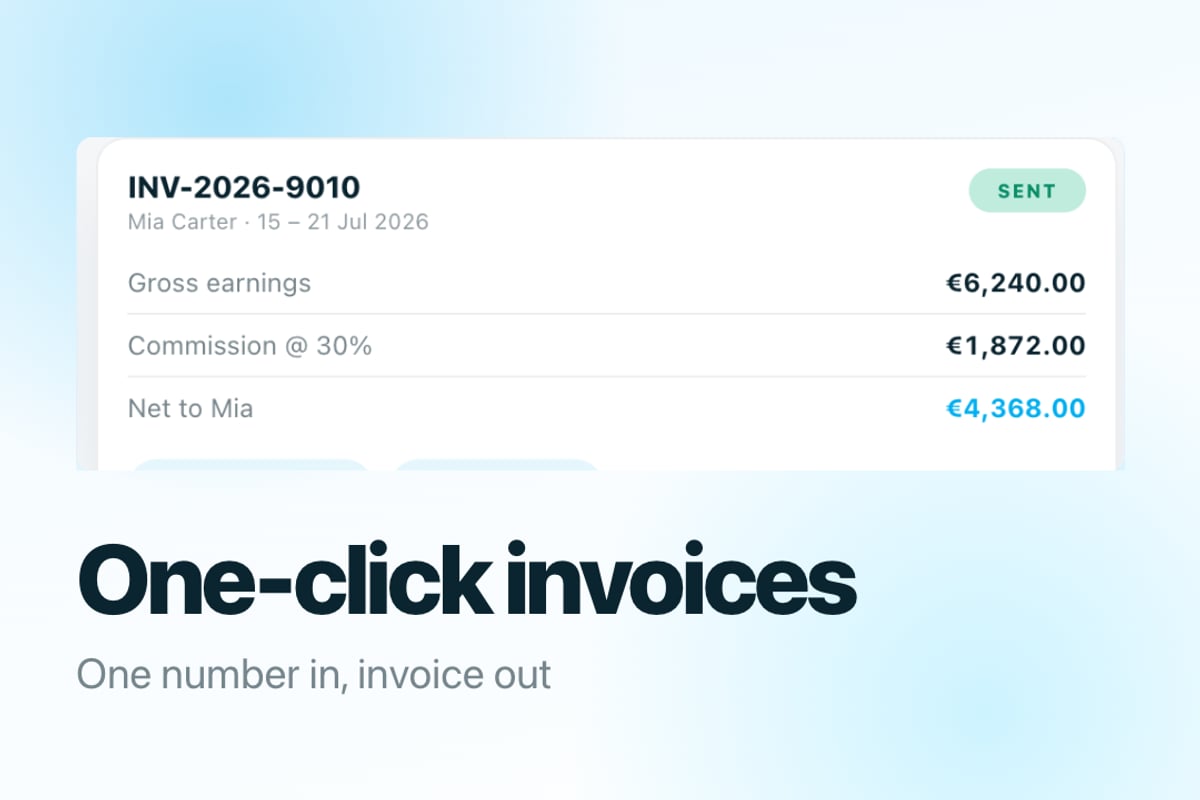
For established creator agencies, comprehensive management software streamlines these workflows by centralizing all operational data. When contracts, payments, and performance metrics live in one system, you gain visibility that's impossible with disconnected tools.
Signature Workflows for Different Document Types
Not every document requires the same level of signature ceremony. A model's initial contract demands careful review and formal digital signatures from all parties. A routine content plan update might only need a simple electronic acceptance. Structure your workflows based on document importance and legal requirements.
High-priority documents (initial contracts, major amendments):
- Generate final PDF from approved template
- Send via signature platform with identity verification
- Require certificate-based digital signature
- Verify signature immediately upon completion
- Store in permanent archive with access restrictions
Standard documents (monthly reports, content approvals):
- Create PDF with pre-filled model information
- Send for electronic signature via email link
- Collect signature with email verification
- Archive with standard retention period
Routine confirmations (schedule acknowledgments, minor updates):
- Present terms within your management platform
- Collect checkbox or click-through acceptance
- Generate signed PDF of acceptance record
- Store with associated model record
Handling Signature Disputes and Verification Requests
Eventually, you'll face a situation where a model questions whether they signed a particular document or claims the terms differ from what they agreed to. Keeping signed documents verifiable means maintaining the evidence chain from signing through storage to presentation.
When a dispute arises, your verification process should establish three facts: who signed the document, when they signed it, and whether the document has been modified since signing. A properly implemented digital signature system provides all three answers definitively.
Building an Audit Trail
Beyond the signature itself, maintain comprehensive logs of all document-related activities. Your audit trail should capture who created the document, when it was sent for signature, how many reminders were sent, the IP address from which it was signed, and any subsequent access to the signed file.
This level of detail might seem excessive until you need it. When a model claims they never saw a particular agreement clause or that their signature was forged, your audit trail becomes the evidence that resolves the dispute quickly and definitively.
| Audit Event | Information Captured | Retention Period | Legal Value |
|---|---|---|---|
| Document Created | Creator, timestamp, template version | Permanent | Medium |
| Sent for Signature | Recipients, delivery timestamp | Permanent | High |
| Document Opened | Viewer IP, timestamp | 3 years | Medium |
| Signature Applied | Signer ID, timestamp, IP, device | Permanent | Critical |
| Document Accessed | Accessor, timestamp, purpose | 5 years | High |
Advanced Protection Strategies
Basic digital signatures protect against casual tampering, but sophisticated threats require additional measures. Protecting signed documents involves layering multiple security technologies to create defense in depth.
Consider these enhanced protection methods:
- Encryption at rest preventing unauthorized access to stored files
- Role-based access control limiting who can view sensitive documents
- Watermarking to trace leaked documents back to their source
- Blockchain timestamping for immutable proof of signing time
The level of protection should match the document's sensitivity and your risk tolerance. A standard content plan might need only basic signature verification, while exclusive contracts with high-earning models warrant maximum security measures.
Certificate Management
Digital signatures depend on certificates, and certificate management becomes critical as you scale. Decide whether to use individual certificates for each signer (providing maximum identity verification) or organizational certificates (simplifying management at the cost of some individual attribution).
Track certificate expiration dates and plan renewal well in advance. An expired certificate doesn't invalidate signatures created while it was valid, but it prevents creating new signatures until renewed. For agencies signing dozens of documents monthly, certificate expiration can halt operations if not managed proactively.
Frequently Asked Questions
How long does a digital signature remain valid on a signed PDF file?
The cryptographic signature itself doesn't expire, but the certificate used to create it typically has a validity period of one to three years. Properly implemented signatures include timestamps from trusted authorities that prove the signature was created while the certificate was valid. This timestamp preserves validity indefinitely, even after certificate expiration. For maximum assurance, archive your signed documents with timestamp verification within thirty days of signing.
Can I use free PDF signing tools for agency contracts?
Free tools work for low-stakes documents but create risks for legally binding contracts. They often lack proper certificate chains, don't provide adequate audit trails, and may not comply with e-signature regulations in all jurisdictions. For model contracts, compliance forms, and payment agreements, invest in a platform that provides legally defensible signatures, comprehensive audit logs, and long-term verification capabilities. The cost is minimal compared to legal expenses from a disputed agreement.
What happens if a model claims their signature was forged?
A properly implemented digital signature system makes forgery claims straightforward to resolve. Your verification process will show the device used, IP address, timestamp, and authentication steps completed before signing. If the signature is valid and your audit trail is complete, you have strong evidence the signature is genuine. This is why choosing signature platforms with robust identity verification (email confirmation, SMS codes, or ID verification) matters-they create the evidence chain that protects you.
Managing Signatures at Scale
When your roster expands beyond fifteen or twenty models, manual signature tracking becomes impossible. You need systematic approaches to ensure every model has current agreements on file, expired contracts are renewed promptly, and compliance documentation stays complete.
Build dashboards that show signature status across your roster. Which models have pending documents? Whose contracts expire in the next ninety days? Which compliance forms need annual renewal? These views transform signature management from reactive fire-fighting to proactive compliance maintenance.
Automated reminders reduce the burden on your team. When a contract approaches expiration, your system should automatically generate renewal documents and send them for signature. When a model ignores signature requests, escalating reminders ensure nothing falls through the cracks.
The operational efficiency gains compound as you scale. An agency managing fifty models might handle three hundred signature events monthly-new contracts, amendments, compliance updates, payment authorizations. Without automation, this volume overwhelms administrative staff and creates compliance gaps.
Technical Implementation Considerations
Selecting and implementing a signature solution requires evaluating both technical capabilities and business fit. The platform should support the document types you use most, integrate with your existing tools, and scale economically as your roster grows.
Key technical requirements:
- API access for workflow automation
- Bulk sending capabilities for similar documents
- Template management for standard agreements
- Mobile-friendly signing experience
- Webhook notifications for signature events
- Export capabilities for backup and archival
Test your chosen platform thoroughly before rolling it out agency-wide. Send test documents to yourself and team members, verify the mobile experience (many models will sign on their phones), and confirm that signed PDFs validate correctly in multiple PDF readers.
Budget for integration work if you're connecting signature collection to broader systems. The most powerful implementations trigger signature requests automatically based on other events-when a model completes intake, when an invoice reaches a certain threshold, or when annual compliance renewal comes due.
Protecting your agency with legally sound, verifiable signed PDF files isn't optional-it's foundational to operating at scale while managing risk. The systems you build today for document signing, verification, and storage will support your growth from twenty models to fifty and beyond. When your signature infrastructure connects to comprehensive agency operations, you gain the visibility and control that separates professional operations from amateur hour. BIGROS centralizes contracts, compliance, and operations in one platform, giving creator agency owners the tools to scale confidently while maintaining the legal protections their business demands.