
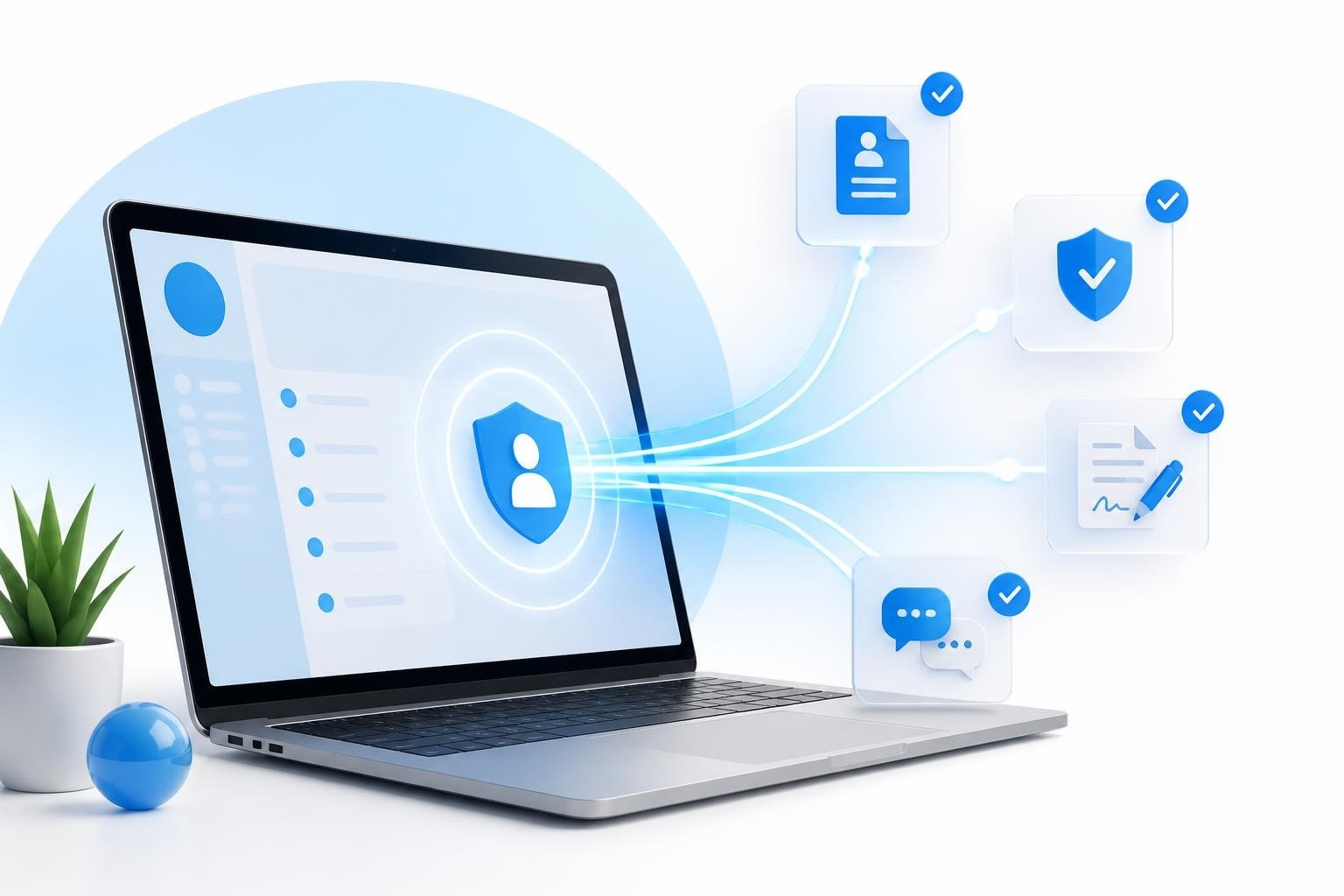
A portal link serves as the central gateway through which creator agencies manage their entire roster of models, staff, and operational workflows. For OFM agencies scaling past 15 models, implementing an effective portal link system becomes essential to maintain compliance, streamline onboarding, and keep every stakeholder aligned without drowning in email threads or scattered spreadsheets.
Understanding Portal Links in Creator Agency Operations
A portal link functions as a web-based gateway to aggregated content and services, designed specifically for role-based access to information and workflows. In the context of creator agencies, this means models access their contracts and compliance documents through one URL, while staff members view performance dashboards and notification feeds through another.
The fundamental architecture of a portal link system creates distinct access points for different user types. Models see only what they need: their earnings, content schedules, and pending compliance items. Agency staff view aggregated data across the entire roster: which models need follow-up, which contracts are pending signature, and real-time profit and loss calculations.
Why Traditional Communication Methods Fail at Scale
Email threads become unmanageable once you pass ten active models. Consider the typical onboarding scenario: you're sending compliance checklists, management contracts, ID verification requests, and payment setup forms across multiple messages. Models lose track of what they've submitted, staff can't quickly verify completion status, and critical documents get buried in inbox clutter.
Shared Google Drive folders create their own chaos. Models upload documents to the wrong folders, naming conventions fall apart, and version control becomes impossible when three people edit the same contract simultaneously. The leads system breaks down when everyone has edit access but no clear workflow.
Direct messaging platforms like Telegram or WhatsApp compound these problems:
- No audit trail for compliance purposes
- Files expire or get deleted
- No structured workflow enforcement
- Impossible to generate reports or track completion rates
Core Functions of an Effective Portal Link System
The most valuable portal link implementations for creator agencies center on four operational pillars: onboarding automation, compliance management, financial transparency, and communication centralization.
Onboarding Through a Portal Link
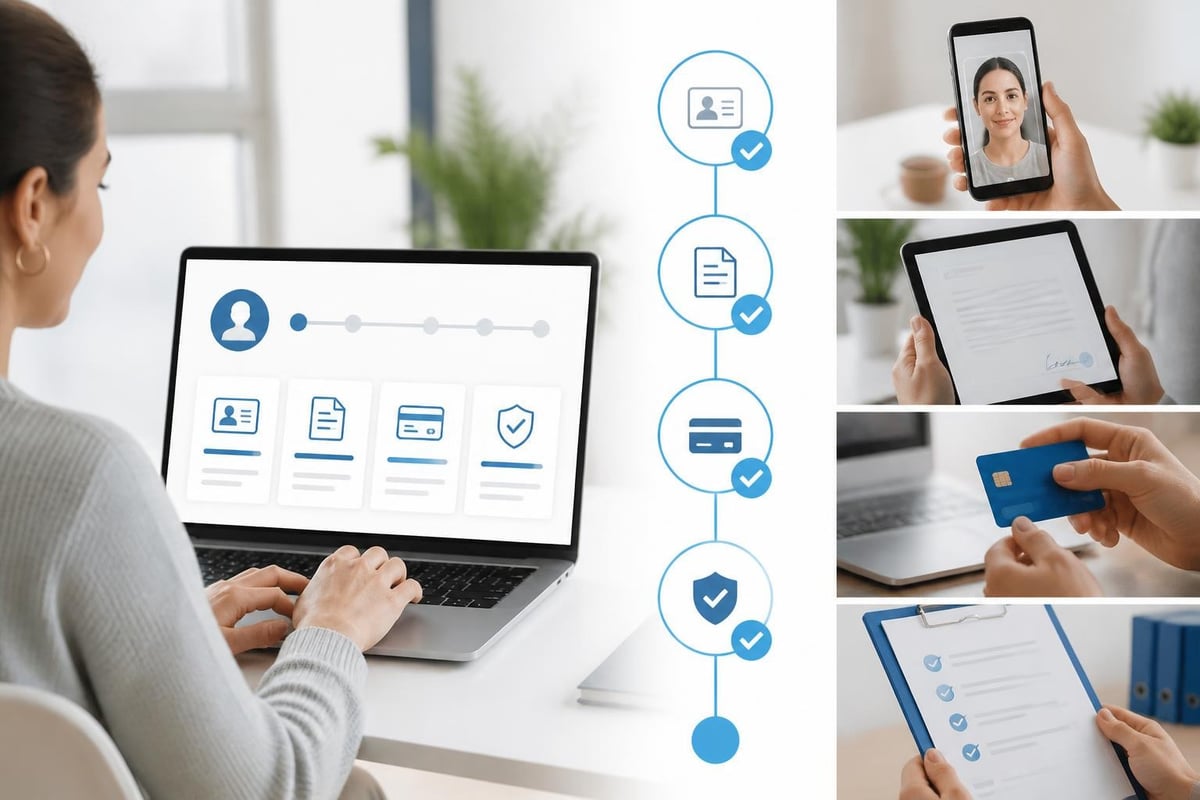
When a new model converts from lead to signed talent, the portal link becomes their first touchpoint with your agency's operational standards. The system should automatically generate a unique, secure link sent via email or SMS that guides them through each required step.
Step-by-step onboarding flow:
- Initial access - Model clicks their unique portal link and creates credentials
- Identity verification - Upload government ID and complete age verification checks
- Contract review - Read management agreement with embedded explainer videos
- Digital signature - Sign contracts using drawn signature or typed confirmation
- Payment setup - Submit banking details and tax documentation
- Content planning - Review initial content calendar and posting schedule
Each step must lock until the previous one completes. This forced sequence prevents models from skipping compliance steps or signing contracts before reading terms. The portal link tracks completion percentage and sends automated reminders for incomplete items.
| Onboarding Step | Average Completion Time | Common Bottleneck |
|---|---|---|
| Account Creation | 2 minutes | Email verification delays |
| ID Verification | 5-10 minutes | Photo quality issues |
| Contract Review | 15-20 minutes | Questions about commission rates |
| Signature | 2 minutes | Technical issues on mobile |
| Payment Setup | 10-15 minutes | International banking confusion |
Compliance Documentation Access
Your portal link must serve as the permanent repository for every compliance-critical document. This matters enormously for OFM agencies where regulatory scrutiny continues to increase in 2026. When you need to prove a model's age verification or pull a signed contract during an audit, searching through email attachments wastes hours.
The compliance portal structure should organize documents by model, with timestamps for every upload and signature event. Staff with appropriate permissions can view any model's full compliance folder, while models only see their own documents.
Essential compliance documents in your portal link:
- Government-issued ID (front and back)
- Signed management contract
- Tax forms (W-9 for US creators, appropriate forms for international)
- Banking authorization for payouts
- Content rights acknowledgment
- Platform-specific agreements
Each document requires version control. When you update your standard management contract in March 2026, new models sign version 2.3 while existing models remain on version 2.2 until renewal. Your portal link system must track which version each model signed and when.
Financial Transparency Through Portal Access
Models want to see their earnings, deductions, and payout schedules without asking their manager for updates. Staff need live profit and loss data to make informed decisions about roster expansion or resource allocation. A well-designed portal link delivers both through role-specific dashboards.
Model Financial Dashboards
The model-facing side of your portal link should display earnings in clear, unambiguous terms. Total platform revenue, agency commission, net payout, and payment date must appear on a single screen. Models should never need to perform calculations to understand how much they'll receive.
Key financial data points for model dashboards:
- Current period gross revenue (updated daily)
- Commission breakdown by service type
- Net amount after agency fees
- Next scheduled payout date
- Historical earnings by month
- Outstanding balance or advances
Transparency here directly impacts retention. Models who understand exactly how they're paid, when they're paid, and why their net differs from gross revenue trust your agency more deeply. This visibility through the portal link reduces the "where's my money?" messages that consume staff time.
Staff Management Dashboards
Agency operators need aggregated views that individual model portals can't provide. Your portal link should offer staff dashboards showing roster-wide metrics: total revenue across all models, commission earned, operational costs, and real-time profit margins.
The BIGROS operating system centralizes these financial insights on one screen, giving agency owners immediate visibility into which models generate the highest margins, where costs are trending, and how cash flow projects through the next quarter. This level of financial command becomes impossible to maintain in spreadsheets once your roster exceeds 15 active creators.

Communication Centralization and Notification Systems
The portal link replaces scattered communication channels with a single notification system. When a model uploads a compliance document, the appropriate staff member receives an in-app notification. When you publish a new content strategy guide, all models see it in their portal feed.
Structured Communication Workflows
Different message types require different urgency levels and delivery methods. A system-generated notification about a pending invoice that needs payment carries more weight than a general announcement about upcoming platform policy changes.
Portal link notification hierarchy:
- Critical compliance - ID expiration, missing tax forms, contract renewals
- Financial alerts - Payout processing, fee structure changes, payment failures
- Operational updates - New content guidelines, staff assignments, schedule changes
- General announcements - Company news, success stories, training resources
Each notification type routes to the appropriate portal link section. Compliance notifications appear prominently on the model's dashboard until resolved. Financial alerts link directly to relevant documents or payment history. This contextual routing prevents notification fatigue while ensuring critical items receive attention.
Fan Request Management
OFM agencies handling custom content requests need a portal link that captures, routes, and tracks these opportunities. When a high-value fan requests custom content, the model should submit details through their portal rather than texting their manager at 2 AM.
The portal link logs the request details, attaches it to the model's record, and notifies the appropriate staff member who handles custom content pricing and scheduling. This creates an auditable trail and prevents requests from falling through communication gaps. Managing these workflows effectively becomes crucial as you learn how to manage an OnlyFans chatting team at scale.
Scaling Portal Link Systems Past 20 Models
Single-link systems work well for agencies with five to ten models. Everyone logs into the same portal and navigates to their section. But growth exposes the limitations of this approach. Response times slow, security becomes harder to manage, and the user experience degrades.
Role-Based Access Architecture
Implementing proper role-based access through your portal link system means creating distinct permission levels for different user types. Models access only their data. Content managers see their assigned models' schedules and performance. Financial administrators view earnings and payouts across the roster. Agency owners see everything.
| User Role | Access Level | Key Permissions |
|---|---|---|
| Model | Individual only | View earnings, upload compliance, submit requests |
| Content Manager | Assigned models | Edit content plans, view performance metrics |
| Compliance Officer | All models | Review documents, approve verifications |
| Financial Admin | All models | Process payouts, view P&L, generate reports |
| Agency Owner | Full system | All permissions, system settings, user management |
This granular control prevents security breaches and maintains operational efficiency. Your compliance officer doesn't need access to financial settings, and content managers shouldn't view other teams' model rosters.
Integration With External Platforms
Your portal link cannot exist in isolation. It must connect with the platforms where your models generate revenue, the payment processors handling payouts, and the communication tools your team already uses. Modern OnlyFans agency software emphasizes API integrations that pull data automatically rather than requiring manual updates.
Critical integration points:
- Platform revenue data (OnlyFans, Fansly, etc.)
- Payment processing (Paxum, Wise, bank transfers)
- Calendar systems for content scheduling
- Document signing services for contracts
- Identity verification providers
- Email and SMS notification services
Each integration reduces manual data entry, which reduces errors and frees staff time for higher-value activities like recruiting new models or optimizing content strategy.

Security and Access Control for Portal Links
Creator agencies handle extraordinarily sensitive information: government IDs, banking details, revenue figures, and private communications. Your portal link security architecture must exceed standard business software requirements.
Multi-Factor Authentication
Every user accessing your portal link should authenticate through at least two verification methods. Password plus SMS code represents the minimum. Biometric authentication on mobile devices adds another security layer. For staff with administrative access, consider requiring hardware security keys for login.
The sign-on process should include automatic session timeouts, forced password rotation every 90 days, and IP address logging for audit purposes. When a model's account shows login attempts from two different countries within an hour, your system should flag this for review.
Data Encryption and Compliance
All documents uploaded through your portal link must use encryption both in transit and at rest. This protects against interception during upload and unauthorized access if storage systems are compromised. For agencies operating internationally, understanding GDPR, CCPA, and other privacy regulations becomes essential.
Compliance checklist for portal link security:
- SSL/TLS encryption for all data transmission
- AES-256 encryption for stored documents
- Regular security audits and penetration testing
- Data retention policies aligned with legal requirements
- User activity logging for audit trails
- Automated backup systems with geographic redundancy
Technical Implementation Considerations
Building versus buying a portal link system represents the first major decision point. Custom development offers complete control but requires ongoing maintenance, security updates, and feature development. Existing platforms provide faster deployment but may lack industry-specific features.
Evaluating Portal Link Platforms
When assessing existing solutions, prioritize platforms designed specifically for creator agency operations. General business portals lack the compliance tracking, content planning, and revenue management features your agency requires. The best OnlyFans management software options in 2026 understand industry workflows and regulatory requirements.
Essential evaluation criteria:
- Mobile responsiveness (models primarily use phones)
- Document management capabilities
- Role-based permission systems
- Integration API availability
- Compliance tracking features
- Financial reporting depth
- Customer support quality and availability
Test the platform with a small subset of models before rolling it out agency-wide. A portal link that confuses users or requires extensive training creates more problems than it solves.
Custom Development vs. Existing Solutions
Custom portal link development makes sense only for agencies with very specific workflow requirements that no existing platform addresses. Development costs typically start at $50,000 and require ongoing engineering resources for maintenance and updates.
Most agencies achieve better results faster by implementing platforms like BIGROS, which centralizes creator agency operations including compliance, onboarding, invoicing, and payroll through a single portal link interface. The platform's dashboards provide staff with quick access to key model information while the notification system ensures no requests fall through the cracks.
Frequently Asked Questions
How long does it take models to complete onboarding through a portal link?
Most models complete the full onboarding process in 30-45 minutes when using a well-designed portal link system. Breaking the process into clear steps with progress indicators significantly improves completion rates. Models who abandon partway through typically resume within 24 hours when they receive automated reminder notifications.
Can models access their portal link from mobile devices?
Yes, mobile access is essential since most models primarily use smartphones. Portal link systems must offer responsive design that works equally well on phones, tablets, and desktop computers. Features requiring document uploads should support phone camera capture for ID photos and signatures.
What happens to documents if we switch portal link platforms?
Document portability depends on export functionality in your current platform. Before committing to any portal link system, verify it offers complete data export in standard formats (PDF for documents, CSV for structured data). Migration to a new platform typically requires re-uploading documents but should preserve all historical records and timestamps.
Mobile-First Portal Link Design
The reality of creator agency operations in 2026: your models live on their phones. They check earnings from bed, upload compliance documents between shoots, and communicate with staff while traveling. If your portal link doesn't work flawlessly on mobile devices, adoption rates will suffer.
Mobile optimization requirements:
- Touch-friendly interface elements (minimum 44x44 pixel tap targets)
- Fast load times on cellular connections
- Camera integration for document uploads
- Simplified navigation with bottom-tab design
- Push notifications for time-sensitive updates
- Biometric login support (Face ID, fingerprint)
Test your portal link extensively on both iOS and Android devices before launch. What works perfectly on desktop often breaks or becomes unusable on smaller screens. Pay particular attention to document signing flows, which many platforms optimize for desktop use at the expense of mobile experience.
Measuring Portal Link Effectiveness
Implementation alone doesn't guarantee success. Track key metrics to understand whether your portal link actually improves operational efficiency or just adds another layer of complexity.
Operational Efficiency Metrics
Time savings represent the most direct measure of portal link value. Calculate how long onboarding took before implementation (total staff hours plus model time) versus after. Most agencies see 40-60% reduction in onboarding time within the first month of proper portal link deployment.
Compliance completion rates should approach 100% when the portal link enforces sequential workflows. If models can skip steps or bypass required uploads, your completion rate will suffer. Track what percentage of models complete all compliance items within 48 hours of receiving their portal link.
Support ticket reduction indicates whether the portal link successfully answers common questions. If models still message staff asking "where do I upload my ID?" or "when do I get paid?", your portal link interface needs clarification. Effective self-service features reduce support volume by 30-50%.
| Metric | Before Portal Link | After Implementation | Improvement |
|---|---|---|---|
| Onboarding Time | 6-8 hours | 2-3 hours | 60% faster |
| Compliance Completion | 75% within 7 days | 95% within 2 days | 20% increase |
| Support Tickets | 45/week | 18/week | 60% reduction |
| Document Retrieval Time | 15 minutes | 30 seconds | 97% faster |
User Adoption and Satisfaction
Portal link login frequency shows whether models find the system valuable enough to check regularly. Healthy usage patterns show models logging in at least weekly to review earnings, upcoming payouts, and content schedules. Monthly-only access suggests the portal link isn't providing sufficient value to justify regular visits.
Survey models and staff quarterly about portal link usability. Ask specific questions: "On a scale of 1-10, how easy is it to find your earnings information?" or "What feature would improve your daily workflow most?" This feedback drives continuous improvement and prevents the portal link from becoming stagnant.
Implementing an effective portal link system transforms creator agency operations from chaotic communication across multiple platforms into centralized, auditable workflows that scale smoothly past 20, 50, or 100 models. The right architecture balances security with usability, providing models with transparency while giving agency staff the command-and-control tools needed to manage a growing roster. If you're ready to consolidate your agency operations into a single, powerful portal link system, BIGROS delivers the comprehensive platform creator agencies need to manage leads, compliance, payroll, and live P&L insights without the operational chaos.